
Can a free backlink checker identify harmful links?
A free backlink checker can identify potentially harmful links by showing suspicious sources, unnatural anchor text, low-quality pages and links from unrelated websites. However, it cannot reliably determine whether a link is damaging on its own, so review the referring page, link context and overall pattern before taking action.
Yes. A free backlink checker can flag links that may be harmful by revealing suspicious referring domains, unnatural anchor text, irrelevant pages, obvious link networks and links from sites with signs of spam or compromise. It cannot reliably decide that a link is damaging on its own. A potential risk requires review of the linking page, the link’s purpose, its context and the wider backlink pattern.
It is important to distinguish between a poor-quality link and a harmful link. Some links are simply weak: they may come from a little-known website, contribute no meaningful referral traffic or have limited authority. These links are not automatically a problem. Search engines generally assess links as part of a broader pattern, and one unrelated or low-value link will not normally damage a well-maintained website.
A link deserves closer attention when several warning signs appear together, such as:
- The referring page contains large amounts of copied, spun or nonsensical content.
- The website has many unrelated outbound links, commercial anchor texts or pages created primarily for linking.
- The link comes from an obvious private network, link directory, comment area or spam page.
- The subject of the linking website has no reasonable relationship to your business or the linked page.
- The anchor text repeatedly uses exact-match commercial phrases in a way that does not appear natural.
- The page has been hacked, redirects visitors unexpectedly or shows malware and other security warnings.
- The link appears to have been placed as part of a paid or reciprocal arrangement intended to manipulate rankings.
A free checker is useful because it brings these patterns into one view. Depending on the data available, it may show the referring domain, destination URL, anchor text, link type, first and last discovery dates and whether the link is marked as nofollow, sponsored or user-generated. It may also provide broad quality indicators. Treat these indicators as prioritisation signals rather than definitive judgements: a domain score is not proof that a link is toxic, and a low score does not by itself justify removal.
Review the actual referring page before deciding what to do. Check whether the page is accessible, relevant and useful to its readers, and whether your link is placed naturally within the content. Consider whether the link could send genuine referral visitors or help them find supporting information. Also look at the surrounding text, the page’s other links and whether the website appears to have a legitimate editorial purpose.
Context matters particularly when assessing anchor text. A natural backlink profile normally contains a mixture of brand references, plain URLs, descriptive phrases and other wording. Repeated use of the same commercially targeted phrase across unrelated websites can indicate an artificial pattern, especially when the links were created by an agency, previous supplier or deliberate promotional campaign. However, anchor text should be assessed across the profile rather than judged from one isolated link.
Use the checker’s filtering and export features to organise the review. Group links by referring domain, anchor text and target page, then prioritise links that combine multiple risk signals. Record the URL, reason for concern, evidence found and any action taken. This creates a defensible audit trail and prevents useful links being removed simply because they look unfamiliar.
Possible actions depend on what the review finds:
- Leave a link in place when it is relevant, editorially reasonable and not part of a manipulative pattern.
- Contact the website owner when a clearly unwanted link can be removed safely and the source is identifiable.
- Review historic agency, sponsorship or link-building activity if many similar links appeared during the same period.
- Investigate security issues immediately if the referring page has been hacked, redirects unexpectedly or distributes harmful content.
- Consider a disavow submission only in appropriate circumstances, such as a substantial pattern of artificial links that cannot be removed and presents a credible risk. It should not be used routinely for every weak or unfamiliar backlink.
A free backlink checker cannot see every link, may contain outdated records and may not show the full history of a referring page. It also cannot determine whether a link was deliberately created, whether a search engine has already ignored it or whether your website has received a manual action. For that reason, combine backlink data with search performance trends, security checks, known marketing activity and any messages in your search platform account.
The safest approach is to use a free checker as an early-warning and investigation tool. Flag suspicious links, validate the evidence manually, assess the pattern rather than reacting to isolated links, and take corrective action only when the risk is credible. This avoids unnecessary removals and keeps attention on backlinks that could genuinely affect search visibility or website security.
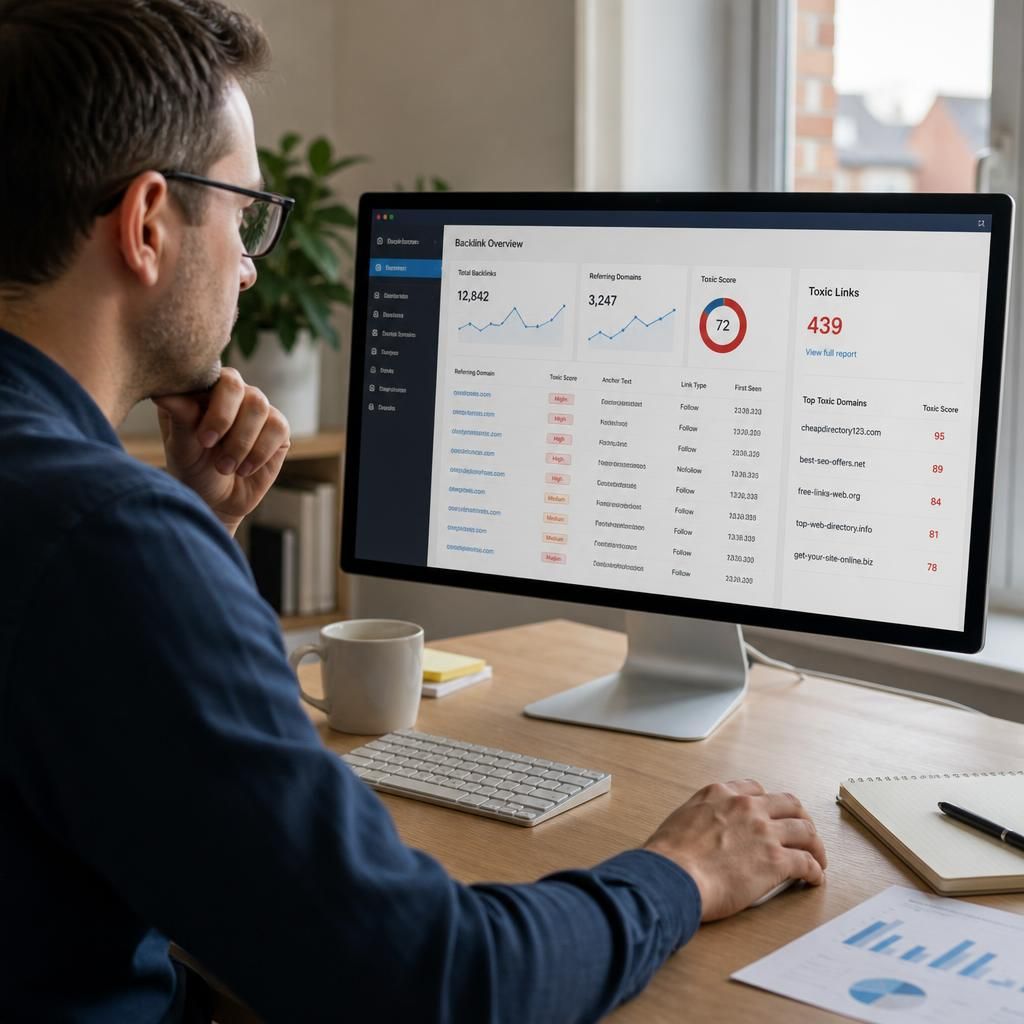
A free backlink checker can identify potentially harmful links, but it cannot confirm that a link is damaging without further review. Use its findings to flag suspicious referring domains, unnatural anchor text, irrelevant pages and apparent link schemes, then inspect the linking page and the wider backlink pattern.
Do not treat a low domain score or an unfamiliar website as proof of harm. A link may simply be low value rather than toxic. Give priority to links that show several warning signs together, such as copied content, excessive commercial links, unexpected redirects, malware warnings or repeated exact-match anchor text across unrelated websites.
Before taking action, record the referring URL, target page, anchor text and reason for concern. Leave relevant editorial links in place, request removal where appropriate, and consider further measures only when there is a credible pattern of artificial links that cannot be resolved directly.