
How do you organise keywords extracted from a website?
Organise keywords extracted from a website by grouping them into related topics and search intents, then prioritise each group by relevance to your pages, audience and business objectives. Map the groups to existing or planned pages, remove duplicates and irrelevant terms, and record useful metrics such as search volume, competition and current ranking position.
Organise keywords extracted from a website by cleaning and normalising the list, grouping terms by topic and search intent, and mapping each group to the most suitable page. You can then prioritise the groups using business relevance, current performance, search demand, competition and the quality of the existing content.
A raw keyword export usually contains duplicates, close variants, brand terms, irrelevant phrases and queries that belong to different stages of the search journey. Treat it as research data rather than a ready-made content plan. The aim is to turn the extract into a structured keyword map that shows what each page should target and where content opportunities exist.
1. Collect the keywords in one working file
Combine keywords from the relevant sources before making decisions. Depending on the purpose of the exercise, this may include terms found in page copy, title tags, headings, metadata, internal links, site search data, ranking reports and keyword research. Keep the source of each term available so you can distinguish between words already used on the website and opportunities identified elsewhere.
Useful fields include:
- Keyword or search phrase
- Source URL or page where the term was found
- Keyword source, such as page content, rankings or research
- Topic or subject area
- Search intent
- Primary or secondary keyword status
- Search volume, where available
- Competition or difficulty, where available
- Current ranking position and traffic, where available
- Target URL
- Recommended action and review status
Keeping the original URL and source prevents useful context from being lost during sorting. It also makes it easier to identify pages that are ranking for terms they were not deliberately created to target.
2. Clean and normalise the list
Remove exact duplicates first, then review close variants. Singular and plural forms, changes in word order, spelling variations and minor differences in phrasing may represent the same topic. They should not automatically be treated as separate content opportunities.
Normalisation should not remove meaningful distinctions. For example, a phrase referring to a guide may have a different intent from a phrase referring to a specific product or service. Similarly, a location, audience, technical specification or buying requirement can change the page needed. Keep variants separate when they imply a different user need, landing page or conversion path.
Mark or remove:
- Misspellings that do not represent a useful search pattern
- Terms unrelated to the website’s products, services or audience
- Queries referring to products or services the business does not provide
- Irrelevant locations or audiences
- Very broad phrases with no clear connection to the website’s objectives
- Branded terms belonging to another organisation
- Terms created by navigation elements, boilerplate text or accidental repetition
Do not delete questionable terms without recording the reason. A separate excluded-terms list helps maintain consistency when the keyword set is refreshed.
3. Group keywords by topic
Topic grouping places semantically related phrases together. Start with the main subject of each phrase, then add specific attributes, problems, audiences, locations or use cases. For example, keywords relating to extracting terms from a website could be grouped separately from keywords relating to organising, analysing, tracking or applying those terms.
A group should be broad enough to cover a coherent page but narrow enough that one page can answer the underlying need properly. If a group contains queries about several distinct subjects, split it. If many small groups describe the same subject and would be answered by the same page, combine them.
Use a primary keyword to describe the main theme of each group and retain related phrases as secondary terms. The primary keyword is not necessarily the phrase with the highest search volume. It should be the term that most accurately represents the page’s purpose and the audience the page is intended to serve.
4. Identify search intent within each group
Search intent describes what the user is trying to achieve. A practical classification includes:
- Informational: the user wants an explanation, definition, instructions or research.
- Commercial investigation: the user is comparing approaches, features, providers or solutions before making a decision.
- Transactional: the user is ready to purchase, subscribe, request a quotation or take another direct action.
- Navigational or branded: the user is looking for a particular organisation, product, section or existing page.
Intent is often more useful than wording alone when deciding whether terms belong on the same page. A guide explaining how to solve a problem should usually not be combined with a service page designed to generate enquiries, even if both contain similar words. Likewise, a product-specific query may require a dedicated page rather than being added to a general advice article.
Check the current search results and the language used in the query when intent is unclear. Look for the type of content that consistently answers the query, such as tutorials, category pages, service pages, product pages or comparison content. The intended page format should match the user’s likely need.
5. Map each group to a URL
Assign each keyword group to one preferred URL. The URL may be an existing page, a page that needs improvement, a new page or a page that should be removed from consideration. This creates a keyword-to-page map and prevents multiple pages from being optimised for the same primary topic without a clear reason.
For existing pages, compare the keyword group with the page’s purpose, content depth, title, headings and calls to action. If the page is relevant but weak, improve it rather than creating another page that competes with it. If no existing page satisfies the intent, record the group as a content opportunity.
Where several pages currently rank for the same terms, assess whether they serve genuinely different needs. If not, consider consolidating overlapping content, improving the strongest URL and redirecting or otherwise managing the weaker page where appropriate. Do this based on relevance and user value, not simply because the pages share a word.
6. Prioritise the keyword groups
Prioritisation should balance opportunity with business value and implementation effort. Consider:
- How closely the topic relates to the products, services or commercial objectives
- Whether the website can provide a stronger answer than the current page or competing results
- The likely value of visitors who find the page
- Existing rankings, impressions, clicks and conversions
- Search demand and competition, where reliable data is available
- Whether the group supports an important customer journey
- The work required to improve or create the page
- Whether the topic supports internal linking to relevant commercial pages
Existing pages that rank near the top of the results but do not fully address the query may offer a practical optimisation opportunity. New topics can still be important, particularly where they support a clear business need or fill a gap in the site’s coverage. Avoid prioritising a term solely because it has high reported demand; an apparently popular phrase may be too broad, commercially irrelevant or difficult to satisfy with the available content.
7. Separate primary and secondary keywords
Give each page one main topic and a sensible set of supporting terms. Use the primary term in the page’s title or main heading where it reads naturally, then use related language in the body copy, subheadings, image descriptions and internal link context where appropriate.
Secondary keywords should expand the answer rather than create repetition. Include synonyms, related questions, specific attributes and terminology used by the audience. Do not force every extracted phrase into the page or repeat a keyword unnaturally. Search engines can generally understand related language, while readers need clear and useful content.
8. Check for gaps and cannibalisation
Once the map is complete, review whether important topics have no suitable page and whether multiple pages are targeting the same intent. A gap may indicate the need for a new article, service page, product page, comparison page or supporting resource. Cannibalisation may indicate overlapping content, unclear page purpose, weak internal linking or an unsuitable URL ranking for the query.
Compare the pages by intent, audience, funnel stage and desired action. Similar wording does not always mean there is a problem, but two pages should have a defensible reason to exist separately. Record the preferred URL for each overlapping group and define whether the other page should be revised, redirected, linked differently or left unchanged.
9. Use the organised list to guide optimisation
Turn the keyword map into page-level actions rather than treating it as a list of terms. Typical actions include:
- Rewrite a title or heading so the page’s subject is clearer
- Expand sections that do not answer an important part of the intent
- Remove irrelevant or outdated copy
- Create a new page for an uncovered topic
- Improve internal links between related informational and commercial pages
- Review metadata and structured page elements where relevant
- Update content that no longer reflects the service, product or audience
- Track changes against the assigned URL and target group
Measure the page against outcomes that matter, such as relevant impressions, qualified organic visits, engagement, enquiries or conversions. Rankings and search volume provide useful context, but they do not by themselves show whether the page is attracting the right audience or supporting the business.
10. Keep the keyword organisation current
Keyword organisation is an ongoing process. Review the map when new pages are published, services change, search behaviour shifts or performance data reveals a different intent. Recheck groups that gain impressions without clicks, pages that rank for unexpected terms and topics where several URLs are receiving visibility.
Use a consistent naming system and preserve previous decisions in the working file. This gives future audits a reliable starting point and makes it clear why a keyword was assigned, excluded, combined or prioritised. The result should be a maintained content and optimisation plan, not a static spreadsheet of extracted phrases.
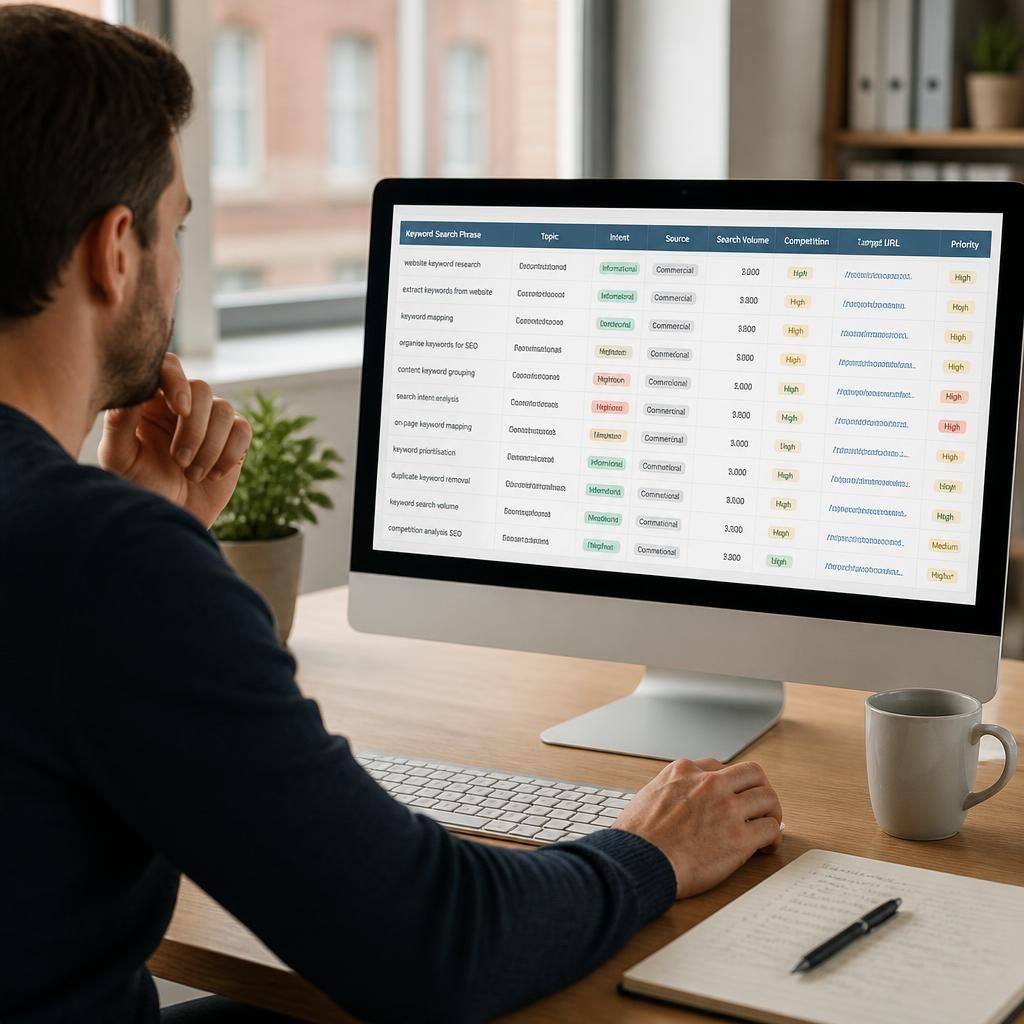
Organising extracted keywords means assigning related search phrases to the page that best matches their topic and search intent. This turns an unstructured list into a keyword map, showing which terms support existing pages, which require content improvements and which represent opportunities for new pages.
Before assigning a keyword, check whether the page can satisfy the searcher’s purpose. Group informational queries with other questions that can be answered in one useful resource, while keeping product, service, comparison and location-specific terms separate when they require a different page or conversion path. Record one preferred URL for each group to reduce overlap and make optimisation decisions clearer.
- Use one primary topic to define each page’s purpose.
- Keep closely related phrases as secondary keywords where they support the same answer.
- Mark irrelevant, duplicate or competing terms rather than forcing them into a page.
- Review the map when pages change or performance data reveals a different search intent.
Start Organising Your Extracted Keywords
Use your organised keyword map to assign each topic to an existing page or record it as a content opportunity, then prioritise the pages most relevant to your business objectives. Review the map regularly as your website, search visibility and customer needs change.