
How do you perform a Google keyword search for SEO?
To perform a Google keyword search for SEO, enter a relevant phrase into Google and analyse the results, related searches, autocomplete suggestions and search intent behind the query. Compare the ranking pages to identify useful keyword variations, content gaps and opportunities that match what your target audience is looking for.
A Google keyword search for SEO involves entering a target phrase into Google, then analysing the search results to understand what people are looking for, which pages currently meet that need and where relevant opportunities exist. The process is more useful than simply collecting phrases because it reveals search intent, keyword variations, content formats and the level of competition attached to each query.
Start with a clear subject, product, service or problem that is relevant to your audience. Use a broad phrase initially, then refine it into more specific searches. For example, a business offering technical SEO services might begin with technical SEO, then investigate related searches such as technical SEO audit, technical SEO checklist or technical SEO for ecommerce. These variations may represent different needs and should not automatically be treated as interchangeable keywords.
Before searching, define the intended audience and the action you want the page to support. A phrase used by someone researching a subject may require an explanatory guide, while a phrase used by someone comparing solutions may require a commercial page. This context helps you assess the results accurately rather than choosing keywords solely because they appear relevant.
Use the following process to perform and evaluate a Google keyword search:
- Enter a broad seed term. Search for the main topic using the wording your audience is likely to use. Avoid adding unnecessary words that could restrict the results too early.
- Review autocomplete suggestions. Begin typing the phrase into Google and note the suggestions that appear. These can reveal common ways people complete a search, although they should be treated as research ideas rather than definitive evidence of demand.
- Examine the results page. Look at the organic listings, paid results, featured extracts, discussion areas, image results, video results and other visible features. The layout indicates the type of information Google considers useful for that query and the formats users may expect.
- Inspect related searches. Related searches, usually shown lower on the results page, can identify adjacent topics, longer phrases and alternative wording. Group terms that express the same need, and separate those that require a different page or answer.
- Check question-based results. Where Google displays common questions, review the wording carefully. These questions can help you identify subtopics to address within a page, provided they are relevant to the primary subject and your audience.
- Open and compare the leading organic pages. Assess the pages that rank prominently for the query. Record their apparent search intent, page type, title, main headings, depth of coverage, supporting evidence, media and calls to action. Focus on what the pages do well and where they fail to answer the query fully.
Search intent is the most important part of the analysis. Classify the query according to the purpose behind it:
- Informational intent: the searcher wants an explanation, definition, instructions or advice.
- Commercial investigation: the searcher is comparing approaches, services, features or solutions before making a decision.
- Transactional intent: the searcher is ready to take an action such as requesting a service, purchasing a product or starting a process.
- Navigational intent: the searcher is trying to reach a particular website, platform or organisation.
A page is more likely to be relevant when its purpose matches the dominant intent shown in the results. If most prominent pages are detailed guides, creating a short sales page may not satisfy the search. Conversely, if the results mainly contain service pages or product comparisons, a general introductory article may not be the most suitable format.
Pay attention to the wording used across the leading pages. Look for recurring terms, questions and concepts, but do not copy titles or reproduce another page’s structure without adding value. Common wording can help confirm the topic’s vocabulary. Missing information can reveal a content opportunity, particularly where existing pages do not explain an important process, limitation, use case or practical next step clearly.
Separate closely related keywords into sensible groups. Variations with the same intent can often be covered by one well-structured page, using the main phrase naturally in the title, introduction and relevant page elements. A distinct keyword should have its own page when it represents a different audience, purpose, stage of the buying process or type of answer. Creating separate pages for minor wording changes can produce thin or overlapping content.
Repeat the search using useful modifiers. Depending on the subject, these may include:
- Audience modifiers, such as for agencies, for small businesses or for ecommerce.
- Location modifiers, such as a town, region or country.
- Problem modifiers, such as how to fix, cost, guide or checklist.
- Comparison modifiers, such as alternative, versus or best.
- Time or freshness modifiers, where the topic changes regularly.
Use location and search settings carefully. Google can adjust results according to the searcher’s location, language, device, search history and other signals. For a fairer comparison, use a consistent location and language, avoid drawing conclusions from a single search and check results at different times when the topic is commercially important. Personalised results and local intent can make the same query look different for different users.
Do not judge a keyword only by whether a particular page ranks for it. Examine the quality and relevance of the entire results page. A query may look attractive but be unsuitable if the results are dominated by a different interpretation of the phrase. For example, a term that appears relevant to a professional service may actually be used mainly by people seeking a definition, a free resource or a consumer product. This mismatch can lead to low engagement even if visibility is achieved.
Record your findings in a keyword research document or your SEO workflow. Useful fields include the search phrase, topic group, likely intent, target page, relevant variations, observed results features, competing page types, content gaps and the next action required. Add notes about whether the phrase should be used as a primary topic, a supporting subtopic or a separate content idea.
Google’s results provide qualitative insight, but they do not confirm traffic potential on their own. Where available, validate the opportunity with performance and keyword data from your SEO tools, including impressions, clicks, existing rankings and engagement. Search Console can show the queries already generating visibility for your website, while a keyword research platform can provide broader estimates and comparisons. Treat estimates as directional and prioritise relevance, intent and business value over volume alone.
Finally, turn the search into a page brief. Define the primary topic, the audience, the intended result, the questions the page must answer and the evidence or examples it should include. Use related phrases naturally where they improve clarity, but avoid forcing exact-match wording. A successful Google keyword search should lead to a more useful page for the reader, not simply a longer list of terms.
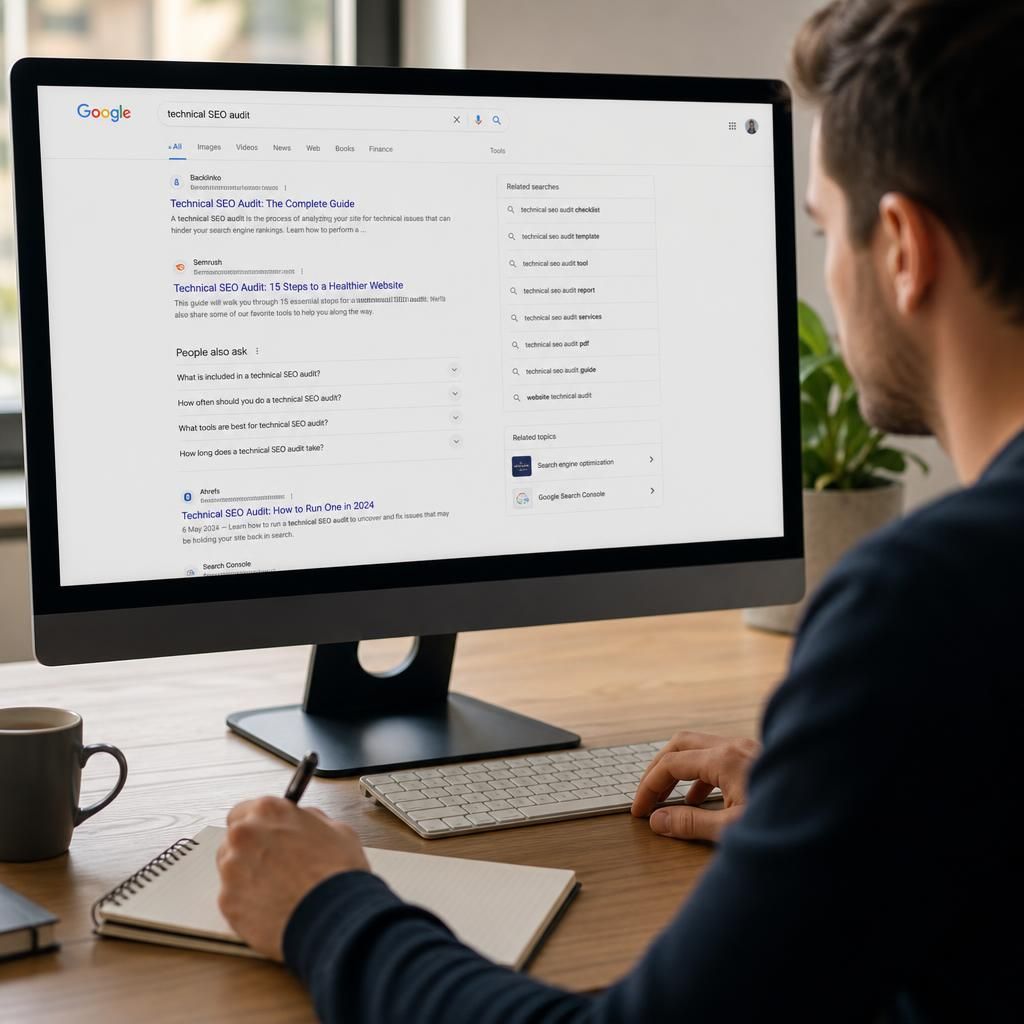
A Google keyword search for SEO is the process of examining a search query and its results to understand user intent, competing content and opportunities for your own website. The aim is not simply to collect popular phrases, but to identify the type of page that can provide the most relevant answer.
After entering a phrase, review the organic listings and visible search features. Note whether the results are mainly guides, service pages, product pages, comparisons, videos or local listings. This pattern indicates what Google believes searchers want and helps you choose an appropriate page format.
- Compare the leading pages for relevance, depth, structure and clarity.
- Record recurring terms and questions that genuinely support the topic.
- Identify important information that existing pages explain poorly or omit.
- Separate closely related phrases from queries that require a different page or intent.
Use these findings to create a focused page brief, then validate the opportunity with your available SEO and performance data. Search results provide essential qualitative insight, but impressions, clicks and existing rankings help determine whether the topic is relevant to your website and business objectives.