
What Does a Local SERP Checker Track?
A local SERP checker tracks where a business appears in local organic results and map listings for defined search terms, locations and devices. It can also monitor competitors, search features and ranking changes over time, helping you assess local SEO performance across each service area.
A local SERP checker tracks a business’s visibility in search results for specific keywords, locations and devices. Depending on the platform, this includes local organic rankings, map results, competitor positions, search features and changes over time, giving you a more realistic view of local performance than a single manually checked search.
Organic local rankings are the standard unpaid listings that appear beneath adverts and other search features. The checker records where the tracked website appears for each selected search term and location. This may include the ranking URL as well as the position, so you can see whether a service page, location page or another section of the site is being displayed.
Local results can vary significantly according to the searcher’s location. A tracker therefore records the search location used for the check, which may be a town, postcode, address or defined geographical point. This helps distinguish genuine changes in visibility from differences caused by checking from another area. It is particularly important for businesses serving several towns or operating from more than one branch.
Map visibility is usually tracked separately from organic rankings. A local SERP checker may monitor whether a business appears in the local map results, where it appears within the visible local listings, and whether its business profile is shown for the selected search. Map rankings are not interchangeable with organic positions: a business can perform strongly in one area and weakly in the other.
Where supported, tracking can also include the wider local results view that appears after selecting or expanding map listings. This provides additional context when a business is visible in the map results but does not appear prominently in the initial search page display. The exact information available depends on the search engine, device and tracking method.
Tracked keywords define what the checker measures. These may include service terms, product searches, location-based phrases and brand searches. Comparing related terms can show whether visibility is concentrated around the business name or extends to non-branded searches that potential customers use when looking for a service. Keyword intent also matters: a broad service term may produce different results from a search that includes a specific town or neighbourhood.
Competitor rankings can be recorded alongside your own results. This shows which businesses appear for the same searches, how consistently they are visible and whether their positions change as yours change. Competitor monitoring is most useful when the comparison set reflects the same service area and search intent. A business that operates in a different location or targets a different customer need may not be a meaningful benchmark.
A local SERP checker may also identify search features that influence how much attention standard listings receive. These can include map panels, local packs, review elements, question-and-answer sections, image results, sitelinks and other enhanced result formats. Tracking these features helps explain why a ranking change may affect traffic differently from its position alone. A high organic position does not always receive the same visibility when several other features occupy the results page.
Device type is another important tracking setting. Results on mobile devices can differ from desktop results because of screen size, presentation, location signals and the way map listings or other features are displayed. Recording the device used makes reports more consistent and helps identify whether a visibility issue is limited to mobile or affects both major search environments.
Over time, the checker records ranking history and movement. Historical data can reveal sustained improvement, gradual decline, short-term volatility and changes that affect only particular keywords or areas. Reviewing trends rather than reacting to one result is essential because local rankings can fluctuate as search results are refreshed, competitors update their profiles and search engines reassess relevance.
Depending on the system configuration, reporting may also bring together related performance indicators, such as:
- the number of tracked keywords for which the business is visible;
- average or grouped ranking positions across selected searches;
- visibility by location, service area, device or keyword group;
- changes in map and organic performance over a selected period;
- the URLs appearing for individual searches;
- competitor presence and movement within the same results; and
- local search features appearing alongside the tracked listings.
These measures should be interpreted together. An average position can conceal large differences between service areas, while a change in map visibility may not be reflected in organic data. Segmenting results by location, keyword intent and device produces a more useful diagnosis than relying on one overall score.
It is also important to understand what a local SERP checker does not measure directly. A ranking report does not, by itself, prove how many people visited the website, contacted the business or became customers. It records the search results generated for the tracking settings. Website analytics, call tracking, enquiry records and profile insights are needed to connect visibility with user actions.
Results can also vary because of personalisation, search history, location accuracy, temporary testing, changes to the search results page and differences between tracking tools. For reliable comparisons, keep the keyword set, location definitions, device settings and checking schedule consistent. When a result appears unusual, review the underlying search, ranking URL and location before treating it as a confirmed performance change.
In practice, the most useful local SERP tracking setup reflects how the business actually operates: the services it provides, the locations it serves, the devices its customers use and the competitors it encounters. This creates a consistent record of local visibility and makes it easier to decide whether a change requires on-site optimisation, improved local profile management, stronger location targeting or further investigation.
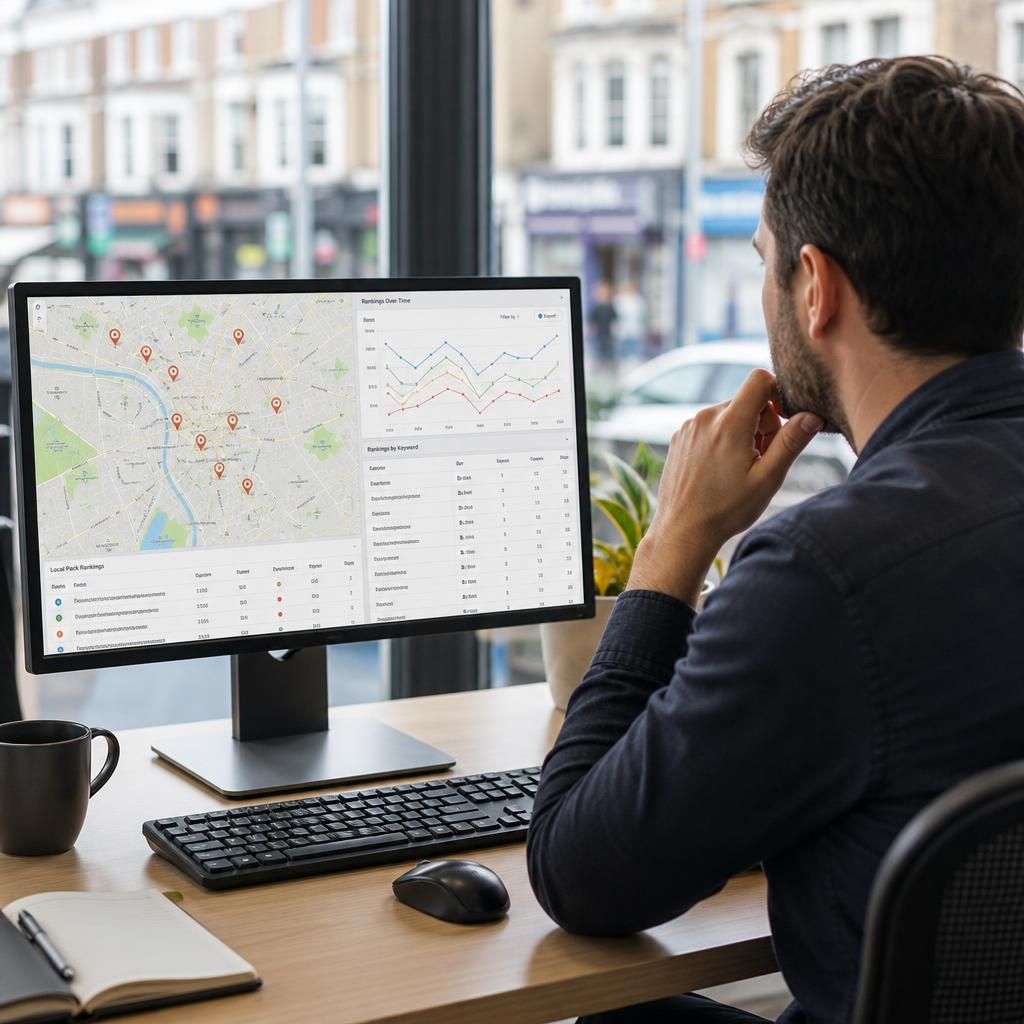
A local SERP checker tracks search visibility from a defined location, rather than assuming that every searcher sees the same results. The location may be set to a town, postcode, address or geographical point, allowing you to assess rankings within a particular service area.
This is important because local organic and map results can change noticeably between nearby areas. A business may appear prominently close to its premises but rank less strongly elsewhere. The checker records the location used for each search so that changes can be compared consistently and not confused with results collected from a different area.
For reliable reporting, keep the tracked keywords, locations and device settings consistent. Review results by service area as well as overall, and compare organic rankings with map visibility. This helps identify whether an issue relates to website relevance, local profile visibility or the geographical reach of the business.