
Can website rank tracking software show which page ranks for each keyword?
Yes. Website rank tracking software can usually show the specific URL ranking for each tracked keyword, alongside its position, search location and device. This helps you identify the page Google associates with a query and spot issues such as keyword cannibalisation or an unintended page ranking.
Website rank tracking software can show the specific URL that ranks for each tracked keyword, usually alongside the position, search engine, location, device and date of the result. This identifies the page Google is associating with the query, rather than showing only an overall position for the website.
The ranking URL is often displayed as a separate field in the keyword report. Selecting a keyword may reveal the current landing page, its title and the change in position over time. Some systems also retain previous ranking URLs, allowing you to see whether Google has switched from one page to another for the same search term.
This information is important because the page ranking for a keyword may not always be the page you intended. For example, a category page may appear for a product-related query when you expected a product page, or a blog article may rank for a service term when the relevant service page would be more useful to the searcher. Reviewing the URL helps you compare the search result with your intended SEO target.
Ranking-page data can help identify several common issues:
- Keyword cannibalisation: multiple pages appear to compete for the same keyword, with rankings changing between them over time.
- Unintended rankings: a supporting article, tag page or other URL ranks instead of the page designed to target the query.
- Weak landing-page alignment: the ranking page does not fully match the search intent behind the keyword.
- Lost or changed rankings: a previously successful URL is replaced by another page or disappears from the tracked results.
- Internal linking opportunities: a page that ranks for related terms may need clearer links to a more commercially relevant page.
To interpret the data correctly, check the ranking URL in the same context as the keyword position. Rankings can differ by country, town or search area, language, device and search engine. A page ranking on a desktop search in one location may not be the page shown on a mobile search elsewhere. The tracked settings should therefore match the audience and search results you are assessing.
It is also important to distinguish an organic ranking URL from other search result elements. Depending on the software and the search results being monitored, a report may identify the page appearing in standard organic listings but provide limited detail for features such as local results, image results, featured answers or other enhanced results. A URL may also be omitted when the result is personalised, blocked, unavailable to the tracking system or not included in the selected search type.
When reviewing a ranking URL, compare it with the page’s purpose and the search intent of the keyword. If the correct page is ranking, use the data to assess its position and movement alongside relevant on-page and technical signals. If the wrong page is ranking, review the site structure, internal links, page titles, headings, content focus and canonical settings. Where appropriate, consolidate overlapping content, clarify the preferred page or adjust internal linking so the relationship between related pages is easier for search engines to understand.
Do not treat a ranking URL as a permanent assignment. Search engines can change the page they select as the best result as content is updated, competitors change their pages or the search results evolve. Monitoring the URL over time is more useful than checking it once, particularly for important keywords and pages that target similar topics.
For practical analysis, export or record the keyword, current position, ranking URL, search context and date, then compare these values during regular reviews. Grouping keywords by ranking page can show which URLs attract visibility, which pages are competing and where a relevant page has no meaningful rankings. This makes ranking data useful for prioritising content updates, internal-linking work and technical investigation.
In short, ranking-page reporting connects a keyword position with the actual page receiving that visibility. Used alongside position history and consistent search settings, it helps you confirm whether the intended page is ranking, diagnose page-level SEO problems and make more informed optimisation decisions.
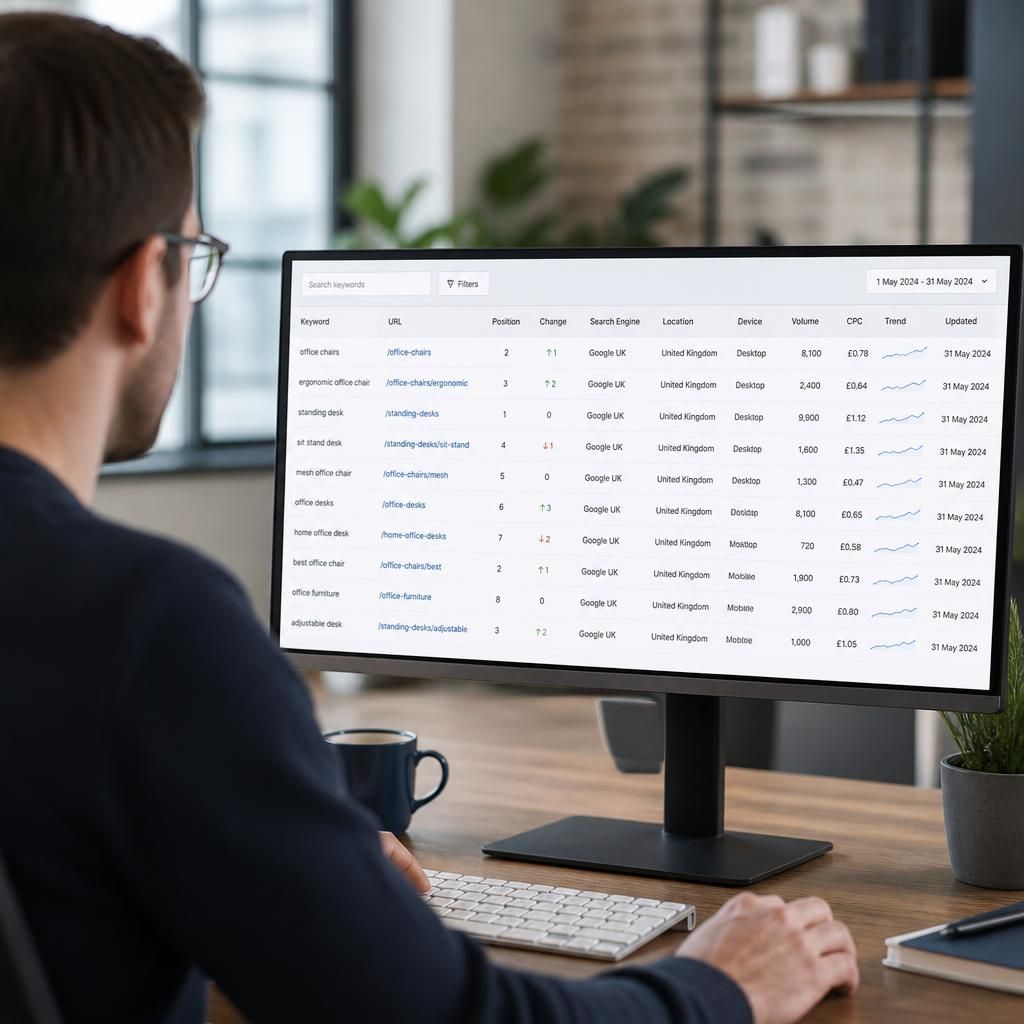
Ranking-page data shows which URL search engines associate with each tracked keyword, rather than reporting only the website’s position. This lets you check whether the intended page is receiving visibility and whether the result matches the keyword’s search intent.
Review the ranking URL alongside its position, device, location and date. If different pages appear for the same keyword over time, investigate possible keyword cannibalisation, overlapping content or unclear internal linking. If an article or category page ranks instead of a relevant service or product page, review the pages’ titles, headings, content focus, internal links and canonical settings before deciding whether to consolidate or refine them.