
What can you check in Google Search Console?
Google Search Console lets you check how your website appears in Google Search, including queries, impressions, clicks and average position. You can also review URL indexing, sitemap status, Core Web Vitals, mobile usability, security issues and manual actions affecting your site.
Google Search Console lets you check how Google discovers, crawls, indexes and displays your website, as well as how users reach it through organic search. Its reports cover search performance, individual URL status, sitemaps, page experience, enhancements, security and manual actions, giving you evidence for diagnosing SEO issues and prioritising improvements.
Search performance
The Performance report shows how your pages perform in Google Search over a selected period. You can assess:
- Clicks: how often users selected a result from your website.
- Impressions: how often a page or property appeared in search results.
- Click-through rate: the proportion of impressions that resulted in clicks.
- Average position: the average position of your highest-ranking result when it was shown.
You can break this data down by search query, page, country, device and search appearance. Use these dimensions to identify queries where your pages are visible but receive relatively few clicks, pages that are gaining or losing visibility, and differences between mobile and desktop performance. Search appearance data can also show whether pages have appeared with eligible enhanced result features.
Performance data is useful for identifying patterns, but it should not be treated as an exact record of every search. Search results vary by location, device, user context and timing. Some queries may be grouped or withheld for privacy reasons, and the data may be sampled or subject to reporting delays. Compare consistent date ranges and look for sustained changes rather than reacting to an isolated fluctuation.
Indexing and crawl status
The Page indexing report shows which URLs Google knows about and whether they have been indexed. It can highlight pages that are indexed, excluded, or affected by issues such as:
- Server errors or other access failures.
- Redirects and canonicalisation signals.
- Pages blocked by robots.txt.
- Pages containing a noindex directive.
- Duplicate pages where Google selected a different canonical URL.
- Pages discovered but not currently indexed.
- Pages crawled but not currently indexed.
These statuses require interpretation. An excluded URL is not automatically a problem: login pages, filtered versions, duplicate URLs and other non-search pages may be intentionally excluded. Investigate whether the status matches the purpose of the URL and your preferred indexing signals.
Individual URL inspection
The URL Inspection tool provides a more detailed check for a specific page. It can show whether Google has a known version of the URL, whether it is eligible for indexing, which canonical URL Google selected, and when the page was last crawled. It also provides information about detected enhancements and lets you test the page as it is currently available to Google.
Use URL Inspection when a new or amended page is not appearing in search, when a canonical choice seems unexpected, or after resolving a technical issue. The live test checks the page at the time of testing, whereas the indexed information describes a version Google previously processed, so the two views may differ.
Sitemaps
The Sitemaps section lets you submit and monitor sitemap files. You can check whether a sitemap was successfully read, when it was last processed and whether Google reported errors. A sitemap can help Google discover important URLs, but submitting a URL does not guarantee that it will be crawled or indexed.
Review sitemap coverage alongside the Page indexing report. The sitemap should generally contain the canonical, indexable URLs that you want in search, rather than redirected, blocked, duplicate or error URLs. If processing fails, check the sitemap location, format, accessibility and the URLs it contains.
Page experience and technical quality
Google Search Console includes reports that help you assess aspects of page experience, including Core Web Vitals, HTTPS and mobile presentation. Core Web Vitals data is based on real-user experience where sufficient data is available, so it may not appear for every page or property. The report can identify groups of pages that need attention for loading performance, responsiveness or visual stability.
These reports are diagnostic rather than a complete technical audit. A page can have acceptable experience signals while still having problems with content, accessibility, crawlability or conversion performance. Confirm findings with page-level testing and your own analytics or monitoring data.
Enhancements and structured data
Enhancement reports can identify eligible structured data features and errors affecting supported search appearances. Depending on the markup detected on your website, you may see reports for items such as breadcrumbs, products, events or other supported elements.
Use these reports to find invalid or incomplete markup, review affected URLs and validate corrections. Structured data helps Google interpret page content, but it does not guarantee that an enhanced result will be shown. The visible page content must also accurately support the markup.
Security issues and manual actions
Security Issues can alert you to problems such as hacking, harmful downloads, deceptive content or other threats that may affect visitors and search visibility. Manual Actions shows whether a Google reviewer has applied a manual measure because the site appears not to comply with search spam policies.
These sections should be checked promptly if an issue appears. Follow the stated examples, remove or correct the affected content, secure compromised systems where necessary, and submit a review request only after the underlying problem has been addressed. Keep a record of what was changed so the review request is specific and evidence-based.
Links and website relationships
The Links report provides examples of external pages linking to your site and pages on your site that receive internal links. It can help you review whether important pages are well connected internally and understand which content attracts links.
This report is not a complete backlink database, and the displayed counts should not be treated as a definitive measure of link authority. Use it to identify useful patterns and possible anomalies, then combine it with your wider SEO review.
Property, user and data settings
Search Console also lets you check property verification, authorised users, linked services and other settings. Review access when responsibilities change and use the appropriate property type so that data covers the intended domain, subdomain or URL path. The correct property configuration is important when comparing data across different parts of a website.
A practical review starts with the Performance report to identify meaningful changes, moves to Page indexing and URL Inspection to investigate affected pages, and then checks sitemaps, experience, enhancements and security reports for technical causes. Record the affected URLs, the reported status, the action taken and whether Google has had time to recrawl the change. This turns Search Console from a collection of reports into a repeatable process for monitoring and improving organic search visibility.
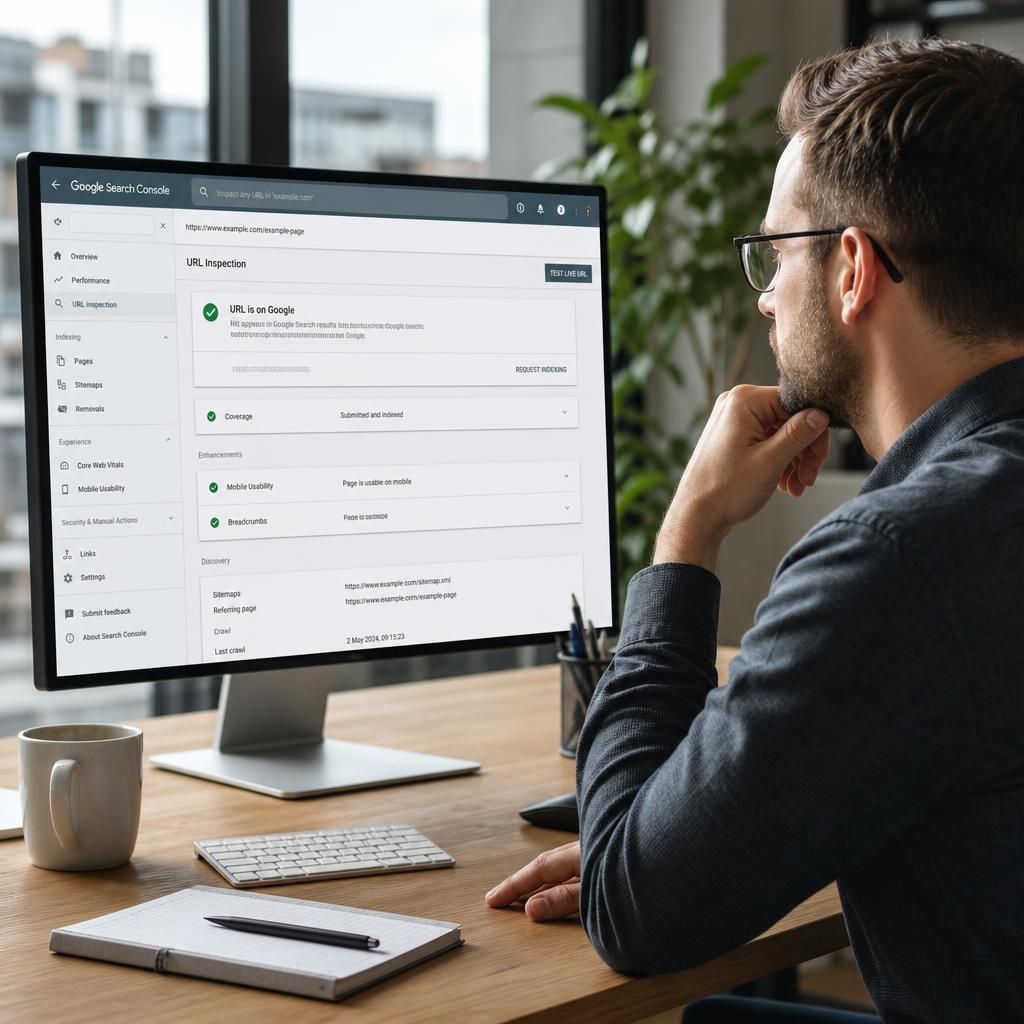
Google Search Console’s URL Inspection tool lets you check how Google has processed a specific page, including whether it is indexed, which canonical URL was selected and when it was last crawled.
Use it when a new or updated page is not appearing in search, or when Google appears to have chosen the wrong canonical URL. Compare the indexed information with the live test, because the indexed version reflects a previous crawl while the live test checks the page as it is currently available. If the page is eligible and accessible, you can request indexing, but this does not guarantee immediate crawling or inclusion in search results.