
How does a free SEO audit tool assess my website?
A free SEO audit tool assesses your website by crawling its pages and checking technical SEO, on-page content, performance, mobile usability, indexability and internal links. It compares what search engines can access with established SEO requirements, then identifies issues and practical improvements that may support stronger organic visibility.
A free SEO audit tool assesses your website by crawling publicly accessible pages and testing them against established technical, content and usability requirements. It examines what a search engine can discover, access, understand and include in its index, then presents detected issues alongside recommendations for improvement.
The assessment normally begins with the website address you provide. The tool requests pages in a similar way to a search engine crawler, follows permitted internal links and records information from the page code and server response. Depending on the tool, the crawl may be limited in scope, so a free report should be treated as a diagnostic overview rather than a complete audit of every URL on a large website.
What the crawler checks
- Accessibility and crawlability: The tool checks whether pages return a successful response, identify errors such as missing pages or server problems, and can be reached through internal links. It may also review robots.txt directives, noindex instructions and other rules that can prevent crawlers from accessing or indexing content.
- Indexability: The audit looks for signals that determine whether a page is eligible for inclusion in search results. These can include meta robots directives, canonical tags, redirected URLs and conflicting instructions. A page may be technically available to a visitor but still excluded from search results, so this distinction is important.
- Page titles and descriptions: It checks whether pages have title elements and meta descriptions, whether they are duplicated or missing, and whether they accurately describe the page. These elements help search engines interpret a page and can influence how its result is presented, although a search engine may rewrite a description.
- Headings and content structure: The tool reviews heading use, page text and basic content organisation. It can identify missing or repeated headings, pages with limited accessible text and content elements that make the subject or purpose of a page unclear.
- Images: Image files may be checked for alternative text, file size and other basic implementation issues. Appropriate alternative text supports accessibility and helps describe meaningful images, while decorative images should generally be handled so they do not add unnecessary information for assistive technologies.
- Internal links: The audit maps links between pages and identifies broken links, isolated pages and URLs receiving little internal support. It can also highlight link text that does not clearly describe the destination. Internal linking helps users and crawlers understand how important pages relate to one another.
- Mobile usability: The tool assesses whether content can be used on smaller screens, including viewport configuration, text size, layout width and elements that may be difficult to tap. A page can be accessible on desktop but still provide a poor experience on mobile devices.
- Performance: Depending on the audit system, the assessment may inspect loading behaviour, page weight, image optimisation, render-blocking resources and other factors associated with speed. Performance findings are indicators for investigation; they do not replace testing with real-user data or a review of the website’s hosting and application environment.
- Structured data and page signals: Where relevant, the tool may identify structured data, language attributes, open graph information and other metadata. These checks can reveal missing, invalid or inconsistent information, but valid structured data does not guarantee enhanced search results.
- Security and technical configuration: A report may check for HTTPS, insecure resource references, redirect behaviour and basic server configuration issues. These findings should be considered alongside the website’s wider security controls, rather than treated as a complete security assessment.
How findings are produced
After collecting page data, the tool compares each observation with predefined SEO rules. It groups findings by area and often assigns a severity or priority, such as a critical issue, warning or recommendation. The classification is intended to help organise work, not to provide an official search engine score. A page with a high audit score is not automatically more relevant than a competing page, and a lower score does not prove that the page cannot rank.
Good audit software also distinguishes between errors affecting access or indexability and recommendations that may improve clarity or efficiency. For example, a blocked important page is usually more urgent than a missing image description on a decorative image. Similarly, a duplicated title across a group of genuinely similar pages may require a different response from duplicated titles across unrelated services.
What a free audit can and cannot assess
A free audit is useful for finding observable issues in the website’s technical implementation. It can often identify broken URLs, missing metadata, crawl restrictions, redirect chains, mobile layout concerns and basic content or linking problems. It provides a practical starting point for deciding what to investigate first.
However, automated checks have limits. A tool may not understand the full commercial purpose of a page, the quality of its information, the expertise behind the content or the needs of a particular audience. It may not identify every JavaScript-related issue, review server logs, test every template variation or assess whether a page satisfies search intent. It also cannot determine from technical signals alone whether content is genuinely more useful than other available information.
Results can be affected by access restrictions, login areas, consent systems, firewalls, site architecture and the crawl settings used for the assessment. Some findings may therefore need manual verification. A recommendation is not automatically an instruction to make a change: altering canonical tags, redirects, robots.txt or internal links without understanding the site’s structure can create new problems.
How to use the report
- Confirm that the audited address is the preferred version of the website and that the crawl reached the important templates and sections.
- Deal first with issues that prevent valuable pages from being crawled, indexed or used, such as incorrect noindex directives, broken key URLs, unsuitable redirects or serious mobile problems.
- Review repeated findings at template level. Fixing one underlying template or configuration issue may resolve problems across many pages.
- Check recommendations against the purpose and content of each page before making changes. Not every warning requires the same solution.
- Combine the report with search performance data, manual page reviews, analytics and knowledge of recent website changes.
- Run a follow-up audit after significant technical or structural work to confirm that the original issue has been resolved and that new crawl problems have not been introduced.
In practical terms, a free SEO audit tool converts a crawl of the website into an organised set of technical and on-page observations. Its greatest value is in exposing problems that are easy to miss during a manual review and helping you prioritise further work. The most reliable decisions come from treating the report as evidence for investigation, then validating important recommendations against the website, its users and its wider SEO objectives.
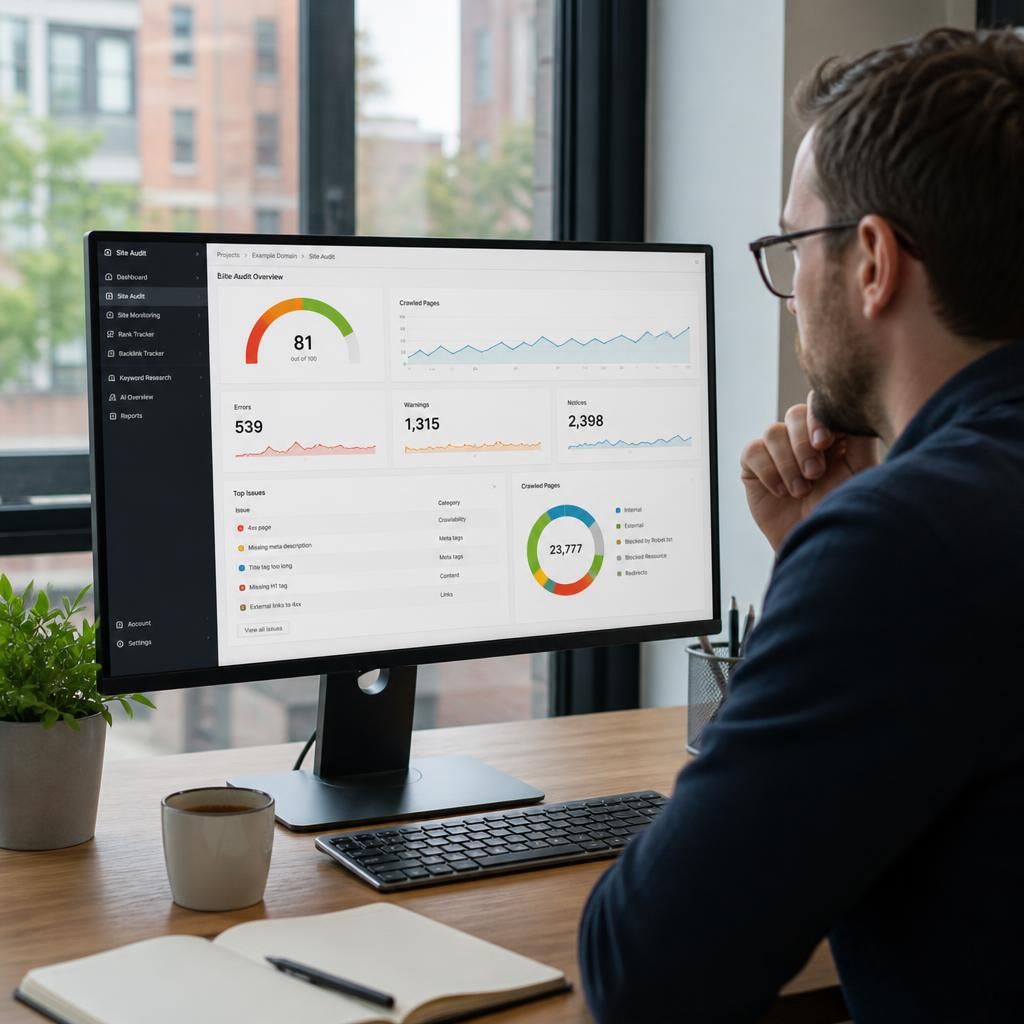
A free SEO audit tool assesses observable website signals by crawling accessible pages and comparing their technical, content and usability characteristics with established SEO checks. It can identify issues such as broken URLs, missing metadata, crawl restrictions, unsuitable redirects, mobile display problems and weak internal linking.
The resulting findings should be treated as evidence for investigation rather than automatic instructions. A tool cannot fully judge content quality, search intent, commercial relevance or whether a recommendation suits a particular page. Prioritise problems that affect important pages’ accessibility, indexability or usability, then verify recommendations against the website’s templates, search data and wider SEO objectives.